
Since when have we become so accustomed to doing everything on our phones and tablets?
It’s students jotting down notes on tablets in the library, businesspeople finalizing plans on their phones in airport lounges, or writers composing ten-thousand-word essays in cafes. Powerful mobile devices have freed us up to do anything, but typing often becomes a new constraint.
You need more than just an accessory; you need a productivity amplifier. This article recommends 10 portable keyboards with distinct features—whether you’re looking for the ultimate in tactile feel, ultra-thin design, or exceptional value, there’s one here that’s the perfect companion you’ve been searching for.
1. Logitech MX Keys Mini #
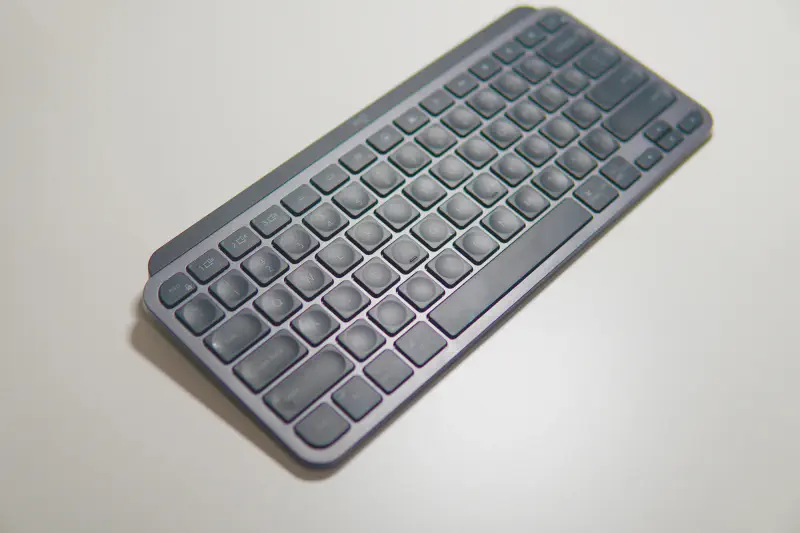
A compact version of the flagship MX Keys keyboard, this one is designed for productivity and comfortable typing.
Connection: Bluetooth Low Energy (Bluetooth LE) / Logi Bolt USB receiver (some models may not include a receiver)
Multi-Device Support: Yes, Easy-Switch™ button connects to up to three devices
Compatibility: Windows, macOS, Linux, ChromeOS, iPadOS, Android, iOS
Key Technology: Scissor-type mechanism (Logitech calls it Perfect Stroke), PBT textured keycaps
Backlighting: Yes (intelligent backlighting), white backlighting with ambient light sensor, automatically illuminates when your hand approaches
Battery and Battery Life: Rechargeable lithium-polymer battery (1500 mAh), recharges via USB-C
Backlight on: Up to 10 days
Backlight off: Up to 5 months
Dimensions: Approximately 295.99mm (width) x 131.95mm (depth) x 20.97mm (height)
Weight: Approximately 506.4 Grams
Features: Intelligent backlighting, spherical concave keycaps, and support for Logi Options+ software customizable keys
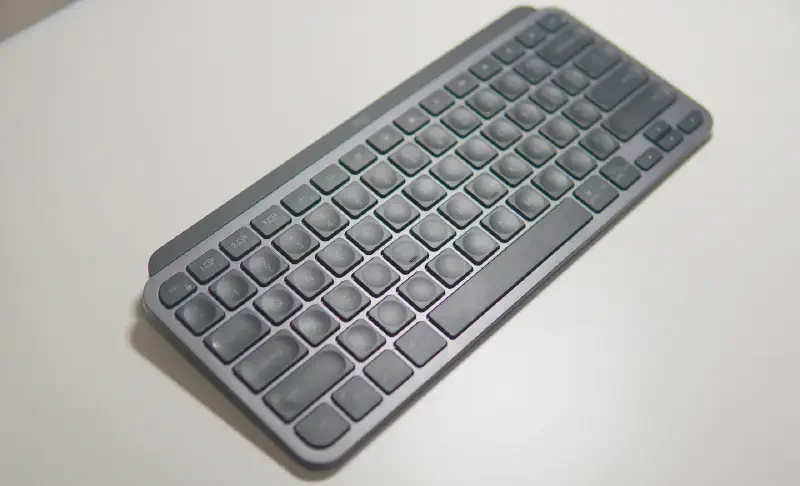
Let’s start with the design. Keyboard styles are increasingly diverse these days, with a rich palette of colors. However, the MX series, as a work keyboard, is more restrained in style, featuring a cool, space gray color scheme and a minimalist design. This style makes you want to use it for work…
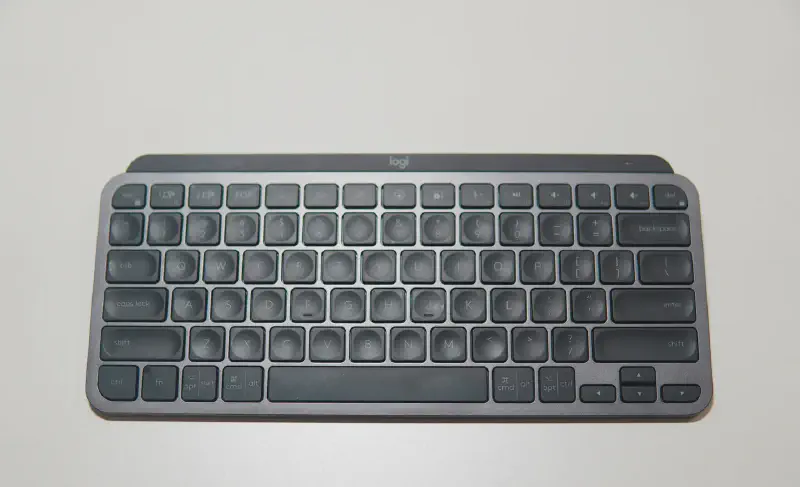
It adopts an 80-key layout, removes the numeric keypad on the original mx series, and reduces the length to 29.6cm, which is 13cm shorter than the original model. It is very compact and more suitable for people with limited desktop space (the original old model was really too long).
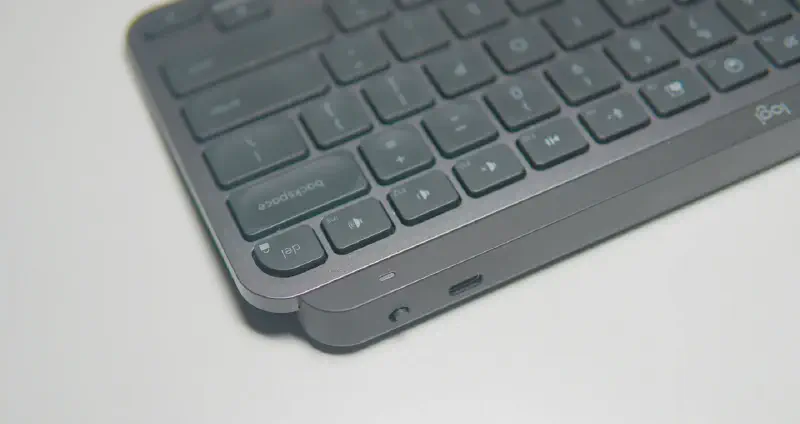
There is a switch and a Type-C port in the upper right corner, as well as an indicator light. The overall material of the keyboard feels very solid, and the workmanship is impeccable.
The keycaps use chocolate island-style keys. Although the keyboard is not large in size, the area of the keycaps is not small at all. The keyboard has a naturally tilted angle, which improves the feel when typing. The keycap surface is also designed with a concave arc, which is closer to the fingertips and is very comfortable to type. The keycap structure is very stable and there is no shaking at all.
The surface is a skin-friendly matte coating, and the touch is extremely comfortable and delicate. In terms of feel, this Keys mini basically beats 99% of membrane keyboards on the market.
This keyboard itself supports Bluetooth, and also supports Logitech’s new generation of Bolt receiver. Officially claimed to be more stable than the previous Unifying receiver, but this receiver needs to be purchased separately. The keyboard itself is not included and you have to pay extra. I have to say a word about Logitech’s operation.
But if you don’t want to buy a receiver, you can also use Bluetooth directly. The keyboard can connect to 3 devices through Bluetooth pairing, and you can switch through fn+F1, F2, F3. If you have many desktop devices, this keyboard is enough. You can switch freely between computers, tablets, and mobile phones.
What are the advantages compared to ordinary membrane keyboards?
-
The first difference is the material. The mx uses an all-metal base, which looks like it is cut out of a whole piece of metal. It is very sturdy and has a good texture. It is much better than many plastic keyboards in texture.
-
Secondly, mx also has some very high-tech functions. In addition to manual adjustment of the brightness of the keyboard backlight, it also supports automatic adjustment. The keyboard can automatically adjust the backlight brightness according to the external ambient light. The backlight will automatically turn on in the dark and automatically adjust the seven levels of keyboard backlight brightness according to the intensity of the ambient light.
-
Automatic brightness adjustment isn’t the biggest deal; many keyboards now offer this, and there are even more advanced features. In addition to automatic backlighting, it also supports intelligent backlighting . When your hands approach the keyboard, the backlight automatically turns on. Five seconds after your hands leave the keyboard, the backlight automatically turns off, allowing you to see clearly whenever you’re typing while also being energy-efficient. It truly looks like a high-tech touch.
Keys Mini supports both Windows and Mac operating systems. When connected to an Apple computer, it automatically switches to Mac key positions, with the Alt and Win keys automatically becoming the Cmd and Opt keys. It supports Mac shortcut keys, with the same key positions as on a Mac, and features key cap markings, making it user-friendly. The keyboard can connect to up to three devices, allowing for smooth switching between multiple operating systems and devices.
But if you’re only interested in high-end membrane keyboards for office use, the options are limited, as many manufacturers have shifted their focus to mechanical keyboards. Many brands have abandoned the membrane series, especially the high-end membrane keyboards for office use, leaving Logitech as the only one that continues to develop and update its high-end office series. If you prioritize keyboard craftsmanship and functionality, the MX Keys series is worth considering. Its attractive appearance, feel, and functionality make even your daily typing sessions seem more energetic…
2. Logitech K380 #
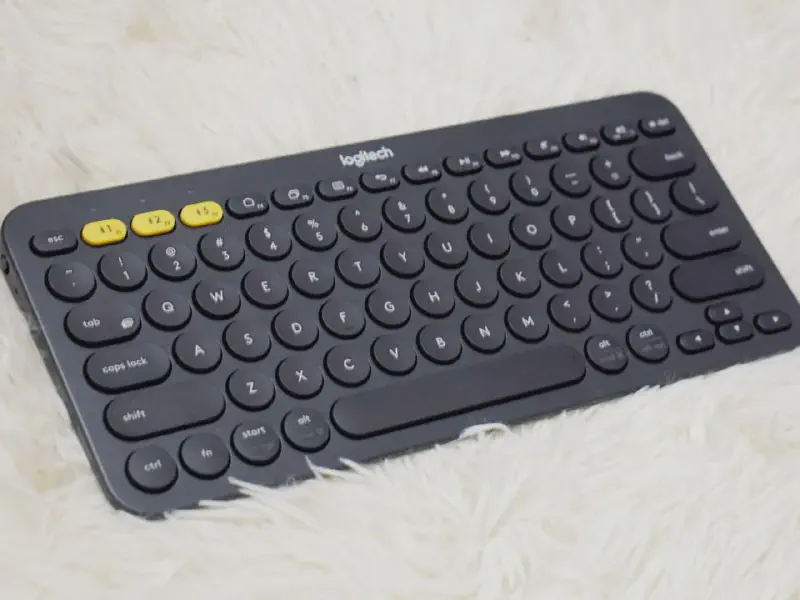
This is a best-selling entry-level portable keyboard, renowned for its value, long battery life, and multi-platform compatibility.
Connectivity: Bluetooth 3.0
Multi-Device Support: Yes, Easy-Switch™ key connects to up to three devices
Compatibility: Windows, macOS, ChromeOS, iPadOS, Android, iOS, Apple TV
Key Technology: Membrane keyboard with rounded, retro-style keycaps
Backlight: No
Battery and Life: 2 x AAA alkaline batteries (replaceable)
Battery Life: Up to 24 months (approximately 2 years)
Dimensions: Approximately 279mm (width) x 124mm (depth) x 16mm (height)
Weight: Approximately 423g (including batteries)
Features: Extremely compact, long battery life, multiple color options, automatic OS layout recognition
The keyboard is made of engineering plastic and feels very classy in the hand. It’s not heavy, but it has a nice heft. I weighed it at 422g with the battery, which is quite thin and light. Its sibling, the K480, is significantly heavier due to the extra slot on the top for devices. If you’re not careful, the keyboard will tilt up, making it less portable. The overall dimensions are compact, just 279mm x 124mm, with the keyboard only 16mm thick at its thickest point. The keys are shaped in a variety of round and oval shapes, resembling a typewriter, which is quite cute. However, the small size also means smaller keys, which takes some getting used to, and typing for extended periods can be a bit tiring. If you spend extended periods typing in a fixed location, a mechanical keyboard is recommended. The key travel is short, and the keyboard feedback is comfortable. Typing is quiet, similar to a built-in laptop keyboard. As long as you don’t type too hard, the keyboard won’t make any noise, making it suitable for quiet places like libraries.
The most unique feature of the keyboard’s front is the three white buttons (F1-F3) in the upper left corner. These correspond to three devices, and I used them to connect my phone, tablet, and laptop. Each button has a corresponding small white light above it, which indicates the Bluetooth connection status and assists in pairing. Interestingly, these three lights don’t turn off immediately after lighting up, but instead gradually dim and eventually turn off. The first time you connect, you need to press and hold for three seconds to pair. Subsequently, a short press will instantly switch to the corresponding device.
There is an on/off button and a yellow indicator light on the left side of the keyboard, which lights up when the switch is on. It is best to turn off the switch when the keyboard is not used for a long time. However, the official said that the keyboard’s built-in battery can be used for two years, so there is no need to worry about the battery life issue, just use it with confidence.
There are no buttons on the right side, and there is only a battery compartment on the back, which uses two AA batteries. The keyboard model K380 is faintly written below. The overall look is very neat and has a strong sense of integration.
Let’s talk about the key functions. The F area defaults to functions such as media control. To use keys such as F1 and F2, you need to use the FN key, which is similar to the keyboards of many current laptops. K380 is compatible with MAC OS, so the Win key and Alt key can be automatically converted into Command key and Option key under MAC. F4, F5, F6, and F7 correspond to Android’s home page, program switching, menu, and return. F7~F12 are multimedia and volume controls. It should be noted that when switching between three devices, Bluetooth will have a delay of about 1 to 2 seconds. Real-time switching is not yet possible, but the delay is very short and completely acceptable.
Another thing I think is particularly good is that if you want to adjust the keyboard layout and some settings, you can download the driver Logitech Options on the Logitech official website, which can check the keyboard battery level, set function keys, etc.
Summary: As a very user-friendly multi-device Bluetooth keyboard, it is compact and portable, has multi-device connectivity, and excellent texture. Of course, what I like most is its good looks. The simple and elegant key body can be well integrated into various environments. The small size will not occupy the space, and it can also switch seamlessly between different devices.
3. Keychron K3 Pro (low-profile) #
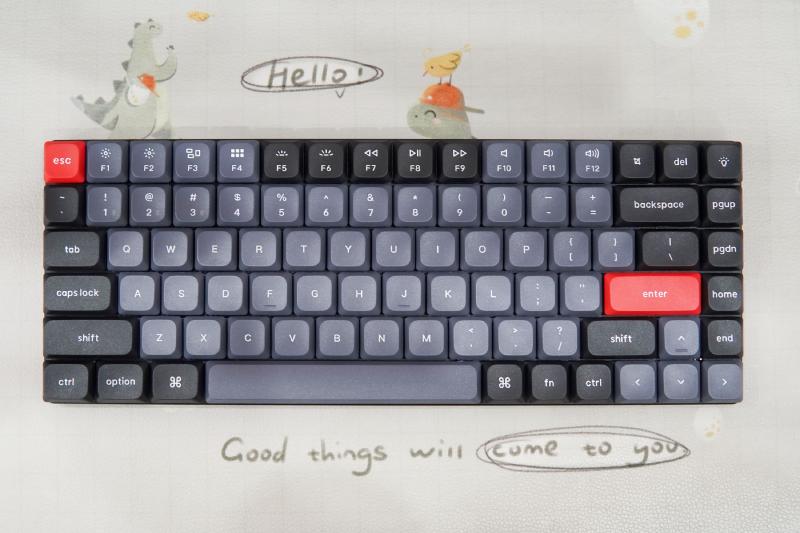
A 75% low-profile mechanical keyboard with a switch layout that balances portability with a full mechanical feel.
Connection: Bluetooth 5.1 / Wired (USB-C)
Multi-Device Support: Yes, Bluetooth can connect up to 3 devices
Compatibility: Windows, macOS, Linux (supports QMK/VIA open-source key modification)
Key Technology: Low-Profile Mechanical Keyboard (Gateron Low-Profile 2.0)
Switch Type: Available in Red (Linear), Blue (Quick Click), Brown (Quick Click)
Backlight: Yes (White or RGB Backlight available)
Battery and Battery Life: Rechargeable Li-Polymer Battery (1550 mAh)
Backlight Off: Up to 100 hours
Backlight at Lowest Brightness: Approximately 33 hours
Dimensions: Approximately 306mm (W) x 116mm (D) x 17mm (Front Height) / 22mm (Back Height)
Weight: Approximately 525g
Features: Hot-swappable (low-profile switches can be replaced by yourself), PBT keycaps, 75% layout (retaining the F zone and direction keys)
Digital gamers have no shortage of excellent keyboards on their desktops, but there’s always that one that catches the eye. The Keychron K3 Pro low-profile mechanical keyboard instantly makes all those old favorites pale in comparison. This keyboard boasts a low-profile, borderless design, offering the slimness of a membrane keyboard while retaining the springy feel of a mechanical keyboard. Its compact, borderless, 84-key design is aesthetically pleasing, and it’s compatible with Mac OS, iOS, Windows, and Android. Its well-organized layout provides a fantastic user experience.
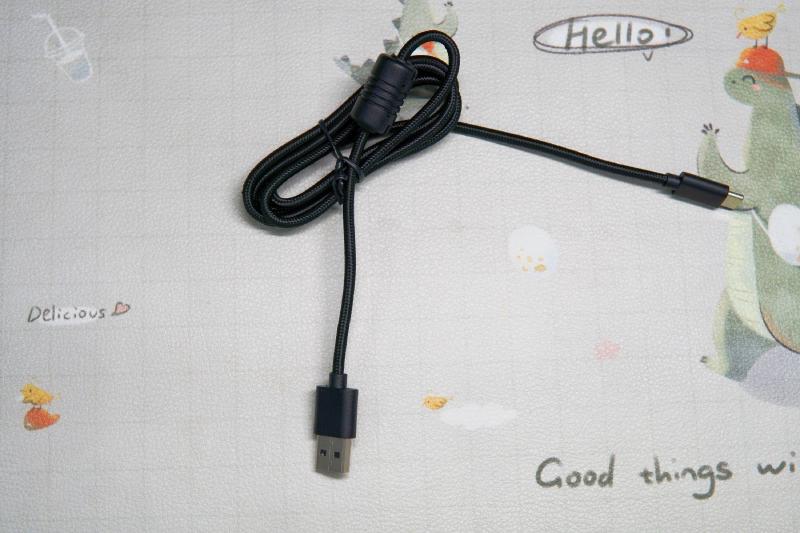
Keychron K3 Pro supports both wired and Bluetooth dual modes. In wired mode, it uses A to C parachute cord. Due to its soft nature, parachute cord is often considered synonymous with comfort when used in peripheral products.
Keychron K3 Pro supports switching between MacOS and Windows systems. The keyboard has the original Mac layout function multimedia keys, but is also equipped with Windows system keycaps to facilitate smooth adaptation of Windows system users in their own systems.
The Keychron K3 Pro features a 75% layout, totaling 84 keys. This is the most common layout for portable mechanical keyboards (typically, 60+ keys require more adaptation). The Keychron K3 Pro measures 306×116×22mm±3mm, making it quite compact with its borderless design. However, the keycap spacing is still relatively wide, so you don’t have to worry about sacrificing tactile feel.
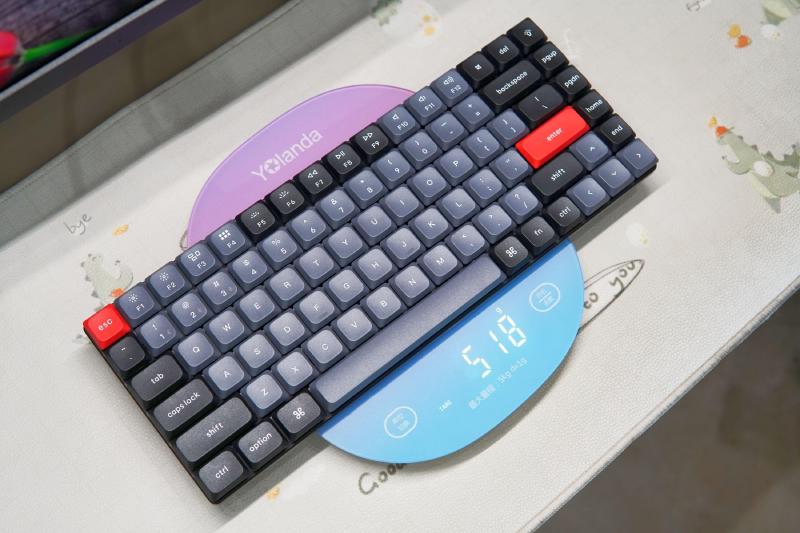
Weighing in at just 518g, the Keychron K3 Pro is the lightest mechanical keyboard I’ve ever used. It feels incredibly light when held in one hand. Its small size and lightweight design make it perfect for travel.
Speaking of low-profile switches, I believe you can see some differences from the side of the Keychron K3 Pro. The Keychron K3 Pro is equipped with Gateron low-profile switches, with a switch height of only 12.2mm (different from the 17.9mm of traditional switches and the 24.26mm of a 1 yuan coin). The low-profile switches are paired with ultra-thin keycaps and bottom frames, making the shape of the Keychron K3 Pro infinitely close to that of ordinary membrane keyboards, making it more suitable for office scenarios.
My Keychron K3 Pro uses the Gateron Red axis, with a trigger pressure of 50±15gf, a conduction stroke of 1.7±0.4mm, and a total stroke of 3.0±0.2mm. As a linear axis, the Gateron Red axis has a very good silent effect. I don’t have to worry about disturbing my colleagues when using it in the office, and I don’t have to worry about affecting my family’s sleep in the dead of night. At the same time, its feedback is very fast. Even after a long period of “keyboarding” output, my hands are not easily fatigued. Compared with conventional axes, the low-profile axis feels even more comfortable on the wrist.
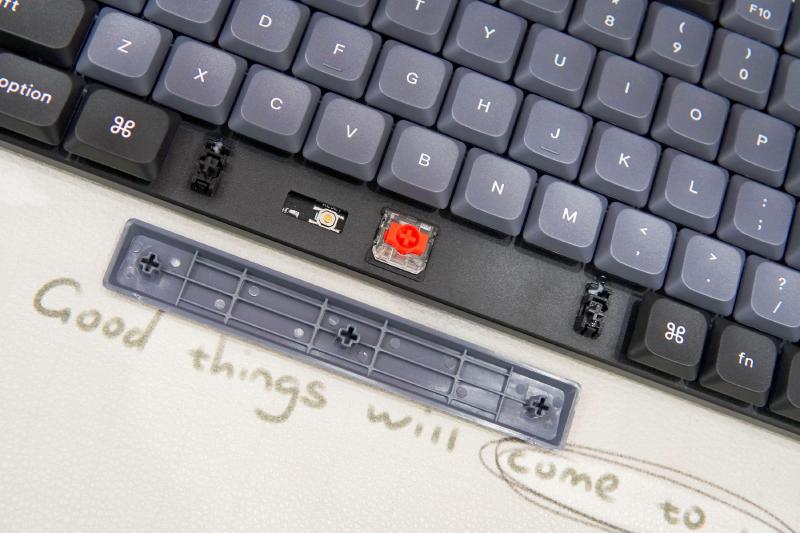
In addition, if you want to DIY your own keyboard, Keychron K3 Pro is compatible with most three-pin and five-pin low-profile switches on the market.
Keychron K3 Pro does a good job in adjusting the large keys, which can be kept at the same level as the axis. Therefore, the swing of large keys such as the space bar, left Shift, backspace and enter keys can be reduced. This can be felt intuitively during the actual press test.
The Keychron K3 Pro uses a two-shot injection-molded PBT keycap with a PBT content of ≥40%, offering excellent wear and dirt resistance, and resists oil and fading. However, the characters are opaque, which is a bit of a letdown for me. The light button in the upper right corner is worth noting; it allows for switching between multiple lighting effects with one click.
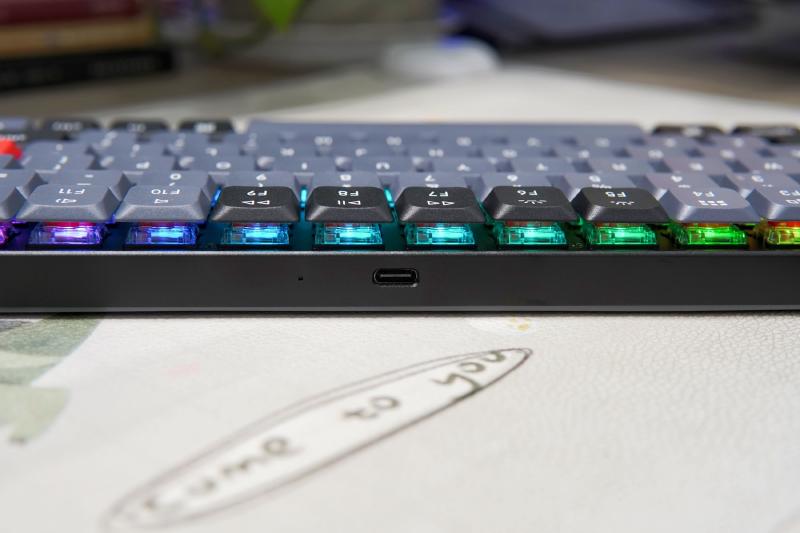
Type-C interface, the power indicator next to it shows the status as follows: low battery - red light flashing; charging - red light is always on; full charge - green light.
Keychron K3 Pro supports wired/Bluetooth dual-mode and MacOS/Windows system environment. When switching, just toggle the corresponding switch, which is very convenient.
Keychron K3 Pro supports QMK/VIA open source key modification, allowing you to program each function key combination on the keyboard according to your personal preferences. To operate, you only need to connect the keyboard to the computer in wired mode, then go to the official website to download the firmware, and then you can modify the key and program the macro button. Like the VIA I showed above, it supports MacOS, Windows, and Linux users, and is quite playable.
My Keychron K3 Pro is the Premium model, which supports RGB lighting effects (the Cool model also supports it). Because the characters themselves are not transparent, the RGB lighting effect is more for the purpose of enhancing the atmosphere and is less irritating to the eyes.
With the continuous advancement of science and technology, mobile office has a good performance configuration foundation, and the corresponding functional accessories market has become prosperous. For example, when you need to deal with some work matters on a business trip, maybe your Pad configuration is enough, but using a capacitive pen alone is not very efficient. At this time, a portable keyboard like Keychron K3 Pro has a comfortable feel, good system compatibility, can be adapted to 3 devices at the same time, and the battery capacity reaches 1550mAh (battery life is about 2-3 weeks)… It can bring considerable convenience to mobile office. The title of “productivity tool” has a long history, and there are not many products that can truly live up to this title. I think Keychron K3 Pro is such a product. Interested friends can try it~
4. NuPhy Air75 V2 #
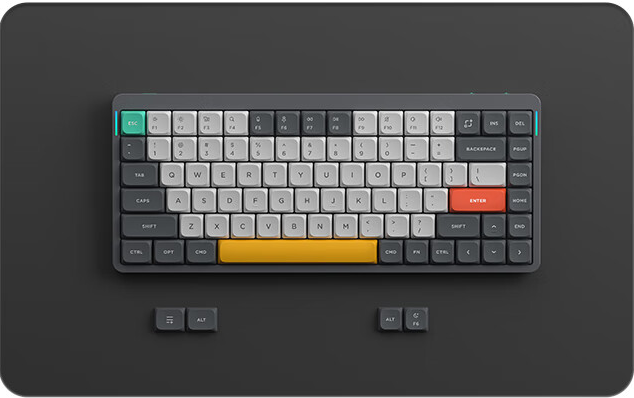
This low-profile mechanical keyboard, renowned for its aesthetics and excellent feel, offers tri-mode connectivity.
Connection: Bluetooth 5.1 / 2.4GHz USB dongle / Wired (USB-C)
Multi-Device Support: Yes, connects up to 4 devices (3 Bluetooth + 1 2.4GHz)
Compatibility: Windows, macOS, Android, iOS
Key Technology: Low-Profile Mechanical Keyboard (Gateron Low-Profile 2.0)
Switch Type: Available in a variety of Gateron low-profile switches (e.g., Red, Brown, Wisteria, etc.)
Backlight: Yes (RGB backlight)
Battery and Battery Life: Rechargeable Li-Polymer Battery (4000 mAh)
Backlight Off: Up to 220 hours
Backlight On: Approximately 35-57 hours
Dimensions: Approximately 316.4mm (W) x 132.5mm (D) x 13.5mm (Thinnest Point)
Weight: Approximately 598g
Features: Hot-swappable, PBT keycaps, 1000Hz polling rate (2.4G/wired), good looks
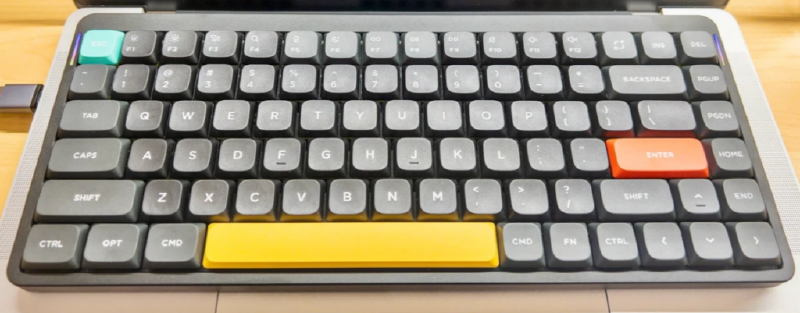
The keyboard measures 316mm×133mm×16mm. Taking the MacBook Pro 14-inch as an example, this keyboard just covers the built-in keyboard area of the MacBook Pro, but will not exceed the body of the MacBook Pro.
Let’s talk about the hardware interface first:
There is a Type-C port that supports charging and wired connection. There are two toggle switches, one switch supports switching to Bluetooth wireless, wired, and off. The other switch supports switching between Windows and Mac. As shown below:
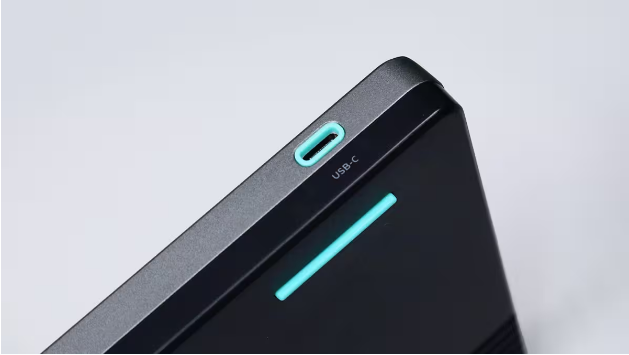
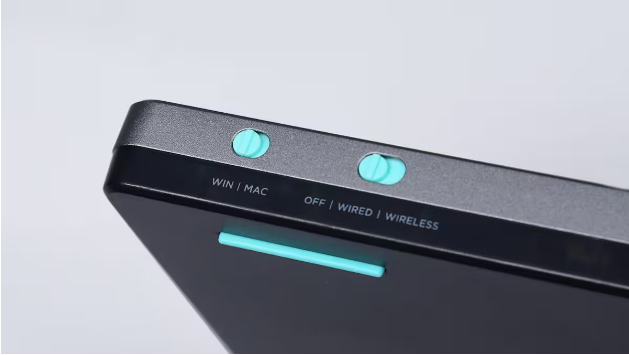
The battery capacity has been upgraded from 2500mAh in the previous generation to 4000mAh in the current generation. The keyboard weighs 600g, and adding this keyboard to my backpack didn’t make me feel any heavier.
In terms of software, this keyboard officially supports Windows/MacOS/Linux/iOS/Android. By the way, I am very satisfied with the keyboard’s excellent support for Linux.
The NuPhy Air75 V2 has 94 keys, which is pretty much everything you need. It fully supports Vim/Emacs, and there’s no such thing as a missing ESC key. Each key is large and responsive, but the only downside is that the SHIFT key is a bit small, which takes some getting used to.
5. Logitech Keys-To-Go 2 #
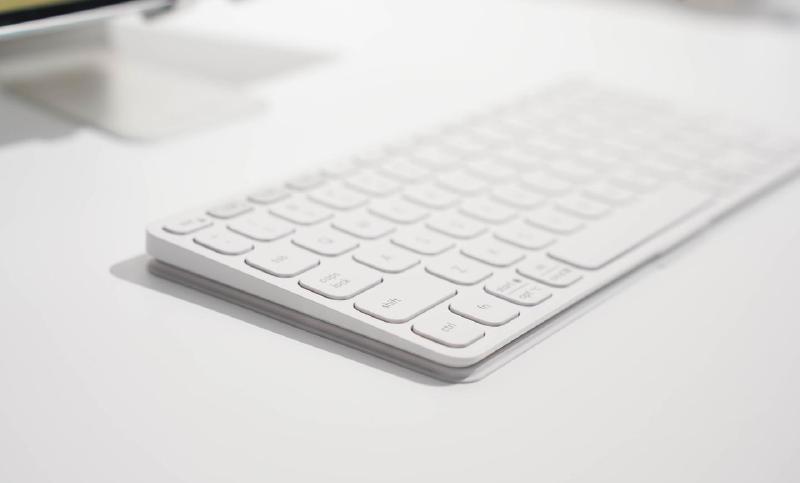
Designed specifically for tablets, this tablet is incredibly thin and light, portable like a book, and comes with a protective cover.
Connectivity: Bluetooth Low Energy (Bluetooth LE)
Multi-Device Support: Yes, with the Easy-Switch™ button for connecting up to three devices.
Compatibility: Windows, macOS, iPadOS, Android, ChromeOS
Key Technology: Scissor-type, 1mm key travel
Backlight: No
Battery and Life: Two replaceable CR2032 coin cells
Battery Life: Up to 36 months (approximately three years)
Dimensions: Approximately 250mm (width) x 105mm (depth) x 4.35mm - 8.97mm (height)
Weight: Approximately 222g
Features: Extremely slim and light, with an integrated protective cover for spill-resistant design
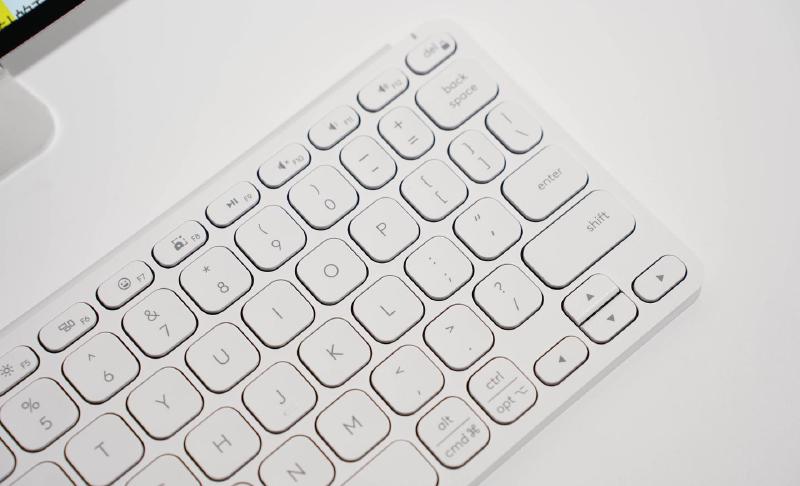
When I first received the keyboard, I thought it was just a keyboard similar to the one used on a PC, just smaller in size. But when I opened the package, I was surprised that the keyboard could be designed to be so thin and light. The thinnest part is only 4.35mm, and the thinnest part is only 8.97mm. Such a thin and light keyboard can be easily put in our backpacks and handbags.
The second important point of this keyboard that is paired with a tablet is that it is “light”. Current tablets, whether Android or Apple, weigh around 400-500g. If the battery is larger and the body is metal, its weight will be even higher. At this time, if we equip it with a keyboard, it will make it even heavier. Friends who like to use tablets for light office work will also hesitate.
The official weight of this keyboard is 222g. Compared with the heavy keyboards on the market, it can greatly reduce the weight of travel and carrying.
The Logitech KEYS-TO-GO 2 keyboard adopts a treasure box design style. When not in use, the protective cover can prevent dust and water, and can also prevent accidental touches in the backpack. When we need to type, it can become the base of the keyboard. The slightly tilted angle is ergonomic, and the wrist will not feel so tired after typing for a long time.
In terms of keyboard layout, it adopts an 84-key layout, but it is different from the keyboard used in PC. Its F shortcut function area is composed of updated shortcut buttons and is specially designed for tablets and mobile phones.
For example, the three buttons on the upper left can switch between three different systems and different categories of devices, such as mobile phones, tablets and other smart devices. This keyboard is not picky about the system and supports Android and iOS.
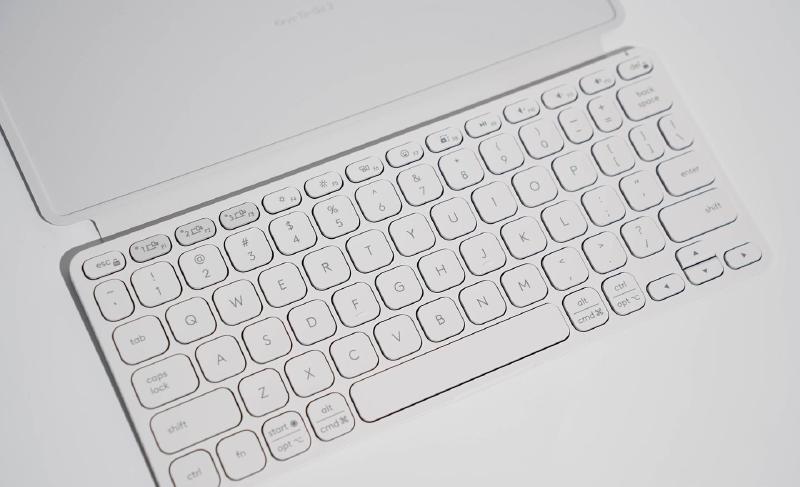
The F4-F12 on the right side are commonly used shortcut functions such as brightness, volume, switch, screenshot, etc. For example, in the animated picture I recorded below, you can adjust the screen brightness you need with one click, which is much more convenient than adjusting by sliding down the notification bar.
In the input area, the distance between the two keys is 18mm. The keyboards we see around us all have this distance. Combined with the design of large keys, the false touch rate will be much less when typing for a long time. Moreover, through using it for the past few days, its keycap part is designed to be anti-slip, especially in summer, it is non-sticky and very comfortable.
As mentioned earlier, it is compatible with multiple systems. The characters on the Alt and Opt keys below are also distinguished, and the combination function keys such as Fn and Ctrl are also consistent with the mechanical keyboard I have, so there is no problem with blind typing.
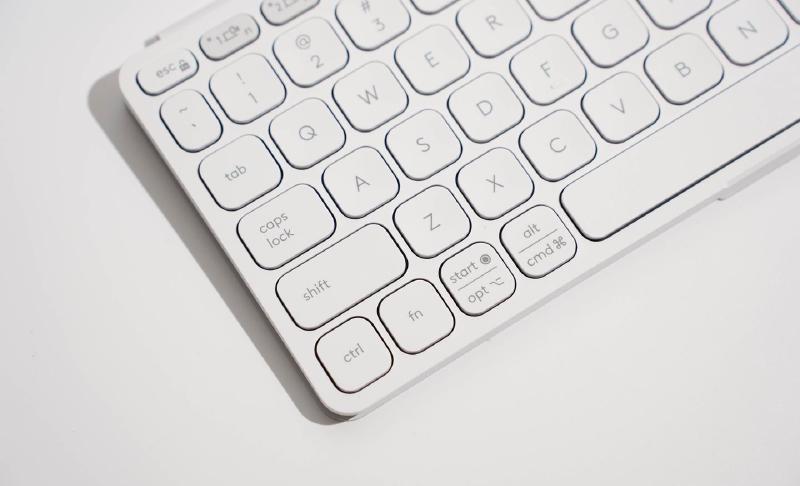
I often take this keyboard out with my tablet, sometimes to a coffee shop or the library. The advantage of a membrane keyboard is that it’s incredibly quiet. I also wasn’t expecting the materials used to be so environmentally friendly. For example, the white keyboard in my hand has a 36% recycled plastic rate, and the bracket is made of low-carbon, environmentally friendly aluminum. With more and more electronic gadgets in our lives these days, and the resulting plastic content is increasing, using recyclable components and housings can at least reduce the environmental impact of plastic. Logitech is thoughtful.
Based on more than half a month of use, the main feeling of this keyboard is that it is light and thin. It is not cumbersome to carry with you when you go out. Moreover, there is no need to worry about the battery life of the wireless keyboard itself. What’s more, it has two button batteries, which can provide up to 3 years of use. You may even forget that it has batteries.
If you are using iOS or Windows tablet, you can download Logi Options+ , it can make deeper settings for the keyboard, such as customizing F keys, checking the remaining power, etc., making the use and operation more intuitive.